Original × Style.
Style × Style.
Use sample geometry or your own model. Rotate, zoom and inspect the details that define the look.
LAST LIGHT / PROJECT 001 UNITY 6.3 · URP
PixelStudio
Turn 3D scenes into expressive pixel-inspired worlds. Shape the colors, place the dithering, and carry your style from materials to sprites.
Explore the Style Lab ↘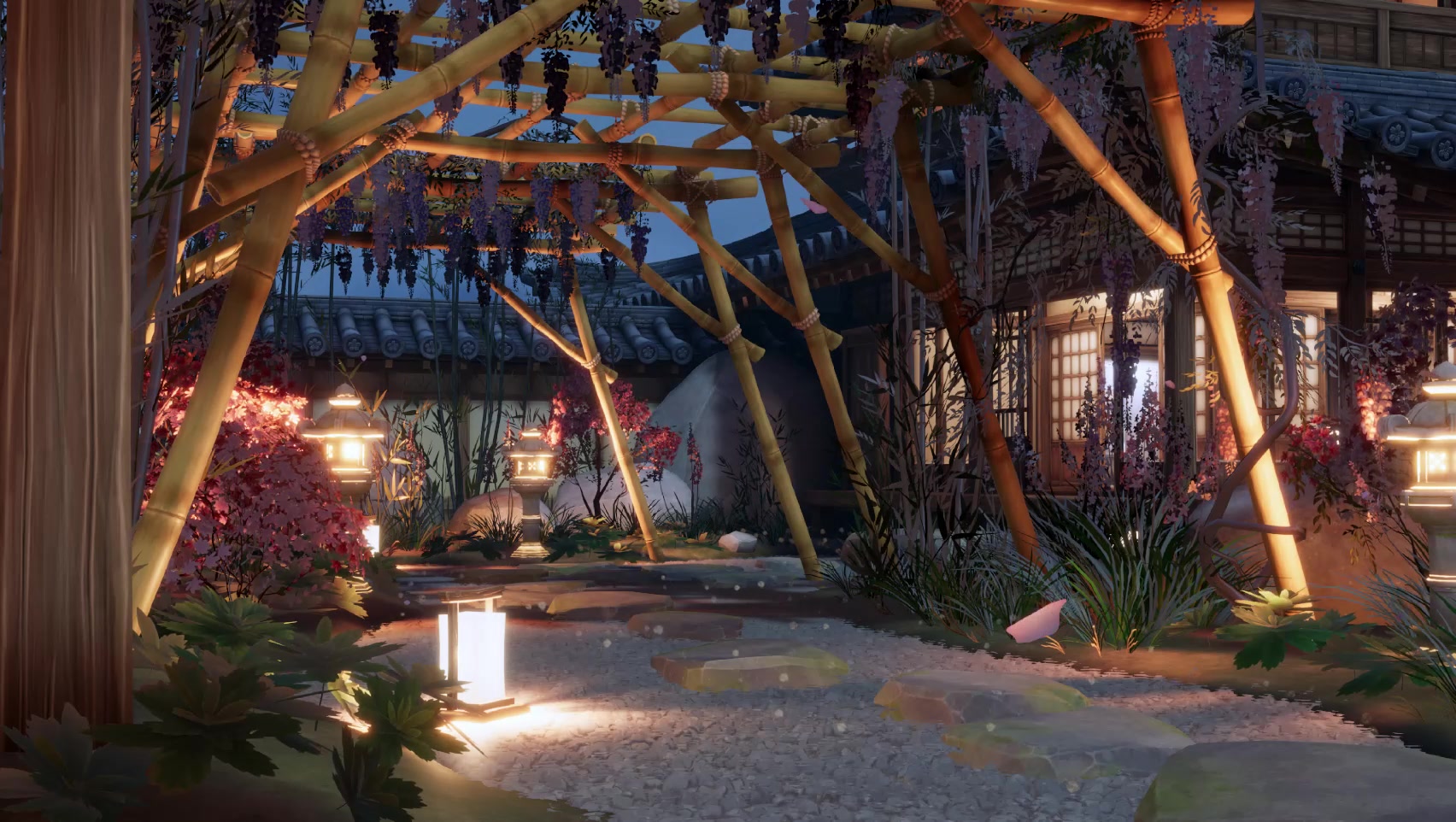
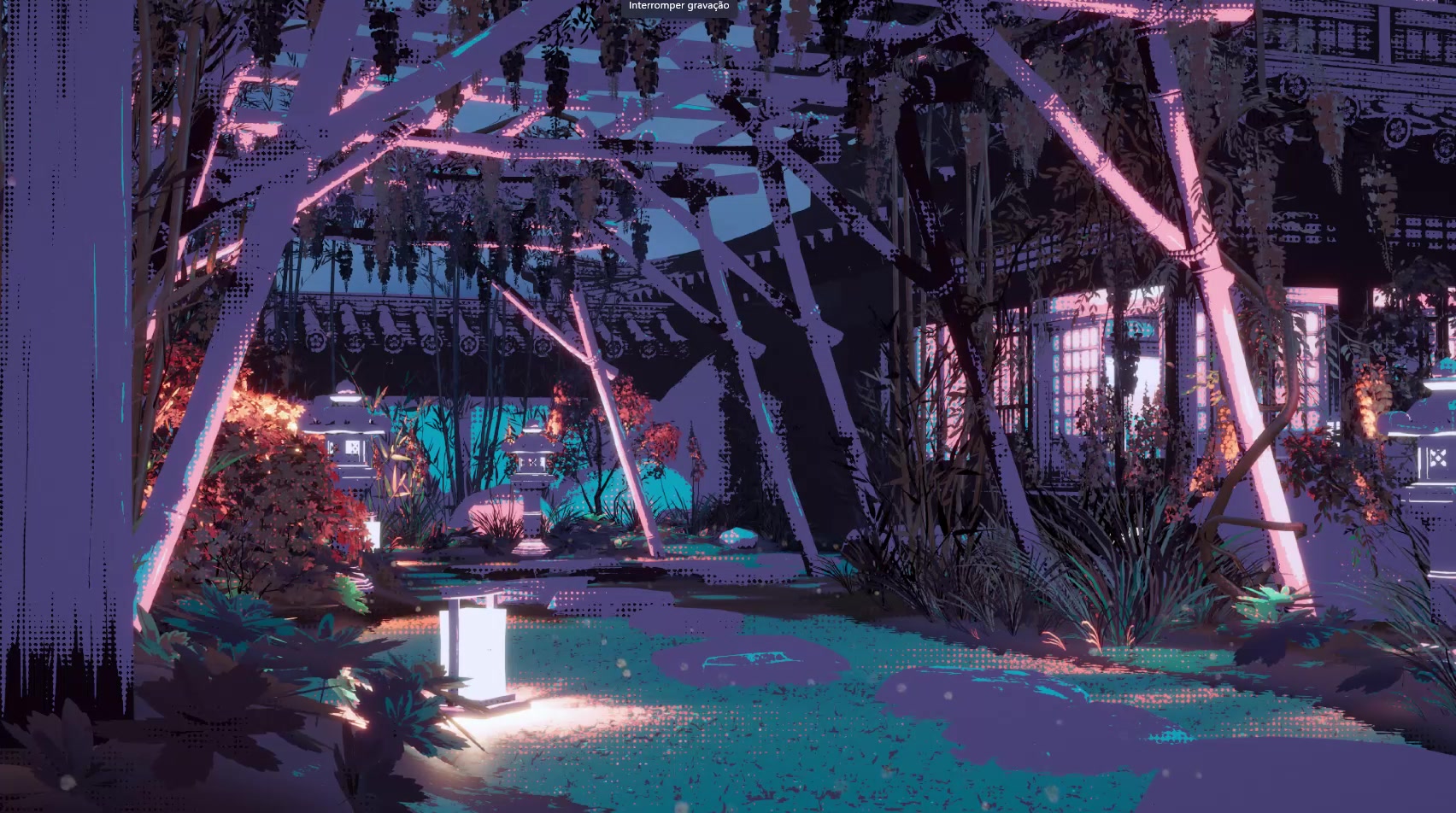 Original sceneClustered 8×8 style
Drag to compare recorded frames. These examples use different color and dithering settings; they are complete style variations, not isolated pattern tests.
01 / STYLE LAB
Compare an original material against a style, or put two styles side by side. Explore your own model in an isolated preview before carrying a shared style across your materials.
Use sample geometry or your own model. Rotate, zoom and inspect the details that define the look.
Explore key, fill and rim lighting in the isolated preview, with local pixelation controls.
Apply styles in batches and update associated materials as you refine your art direction.
STYLE SHOWCASE / 00:30
Five recorded looks and the original scene, brought together in one short showcase.
02 / COLOR & DITHERING
Work in Original, Base Color, Palette or Ramps mode. Shape hue, saturation, contrast and tonal distribution, then decide how the transitions should feel.
Extract colors from an image or import HEX, GPL, JASC-PAL and PNG palettes. Select the colors you want to use in a palette or ramp.
16colors per palette
4 × 8ramps × colors
Choose RGB or perceptual OKLab matching, protect hues, or choose a fixed or automatic ramp. Palette restrictions apply before later rendering operations.
RGB, perceptual luminance and hybrid quantization. Hue, chrominance, saturation, contrast and tonal distribution. Ramp shadow and highlight points.
RECORDED STYLE STUDIES
Select a recording to see its complete look. The site plays your Unity captures; it does not run the Unity shader.
Clustered 8×8 — recorded style
Bayer 2×2, 4×4, 8×8 and 16×16. Clustered 4×4 and 8×8. Horizontal lines, Hash Noise, Blue Noise 64, a custom texture, or no dithering.
Screen, world, object or UV anchoring, with per-object overrides. Control strength, tonal coverage, transitions and flat-surface preservation.
03 / MATERIALS & SCENE RENDERING
Combine camera-wide pixelation with material styling, light response and per-object outlines. Each has its own role in the final image.
PER-OBJECT OUTLINES
Set color and thickness from 1 to 4 logical pixels. Include children, group objects, and add internal lines from depth and normals.
Outlines support opaque and alpha-clipped surfaces. Blended transparent objects and particles are excluded.
TRANSPARENCY & GLASS
Opaque, Cutout, Alpha, Premultiplied, Additive and Glass modes. Shape opacity, masks and clipping; give glass Fresnel edges and configurable shadows.
Glass is stylized transparency, without physical refraction.
PIXELSTUDIOPARTICLES
A dedicated unlit particle shader with shared styles, particle color and alpha, emission and UV anchoring.
Requires the appropriate vertex streams. GPU mesh instancing is not supported by this particle workflow.
PIXELSTUDIOLIT
Base Map, normal maps, metallic and smoothness, emission and detail textures, integrated with URP lighting and shadows.
STYLIZED HIGHLIGHTS
Art-direct highlight color, intensity, size and mask, with control over metallic and smoothness influence.
CAMERA PIXELATION
Choose logical width or pixel size, optional sampling softness and Scene View preview. Use orthographic or perspective cameras.
04 / A CONNECTED WORKFLOW
Transfer supported material settings, explore shared styles and extend the look through your own Shader Graph work.
FEATURE WALKTHROUGH / 02:30
Open the original recording ↗MATERIAL CONVERTER
Transfer recognized maps, colors, tiling and offsets into PixelStudioLit. Convert materials in batches, optionally apply a style, and review incompatible-property warnings.
Conversion does not recreate arbitrary custom shader effects such as wind or refraction.
SHADER GRAPH
Use the supplied template, PixelStudioSurface Sub Graph, HLSL functions and style-data baking utility to integrate pixel styling into your surface workflow.
Integration requires configuration. VFX Graph is a manual integration workflow, not universal plug-and-play support.
05 / SPRITE GENERATOR
Turn your own prefabs and scene objects into sprites. Keep control over framing, rotation, lighting, outlines, resolution and transparent backgrounds.
Export transparent PNGs and import them into Unity as sprites, with configurable capture settings.
Sample AnimationClips at your chosen FPS. Export sheets or individual frames and optionally create a 2D AnimationClip.
Process multiple objects and preset viewing angles with reusable capture presets and optional contact sheets.
BEFORE YOU BUILD
A toolkit for your own assets and art direction. Demonstration environments, models, animations and third-party textures are not included.
DOCUMENTATION
Explore the tools, settings and workflows in the user manual.
Development reference: Unity 6000.3.21f1 · URP 17.3.0. Built-in Render Pipeline and HDRP are not supported. Other Unity versions, platforms and graphics APIs have not been validated by the supplied review.
Pixelation affects the camera image; it does not provide independent geometry pixel sizes per object. Material styles and outlines have separate controls. Camera-motion stabilization is not included, and dithering anchors do not guarantee the absence of pixel creep.
Later rendering operations can introduce colors outside a selected palette. Glass does not simulate physical refraction. Outline support is limited to opaque and alpha-clipped objects. The package is not presented as an included library of demo scenes, models or production presets.
LAST LIGHT GAME STUDIO
PixelStudio is the first project in our portfolio.